One key for whatever you need.

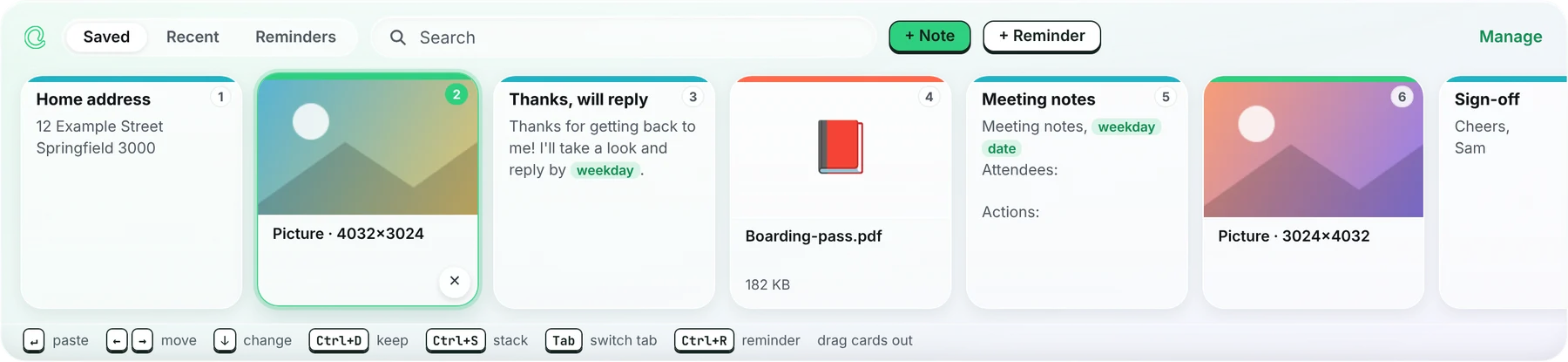
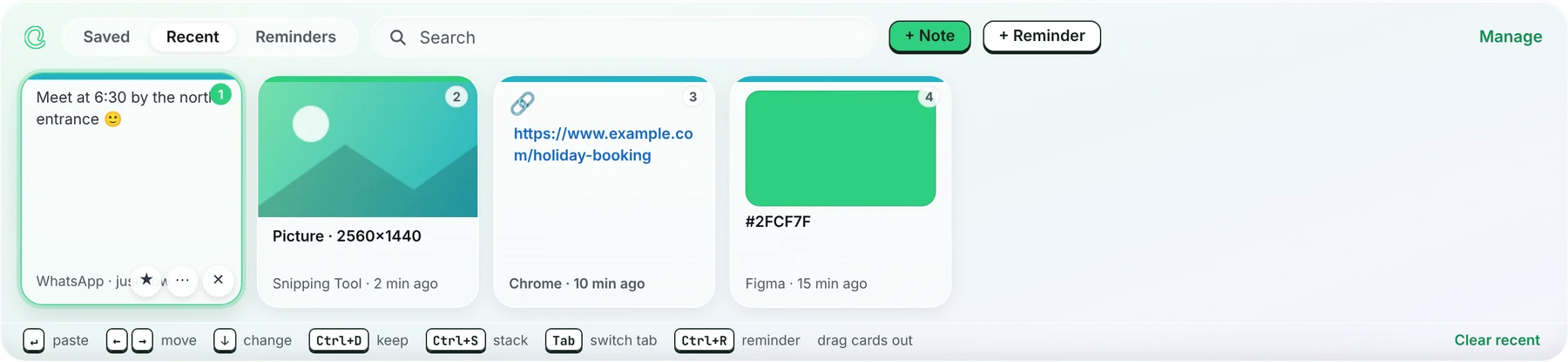
Chameleon gives your laptop shortcuts for the things you do every day. Alt+Q changes any file. Alt+V keeps everything you copy. Then make your own for anything else.

Download for Windows

Windows 10 & 11

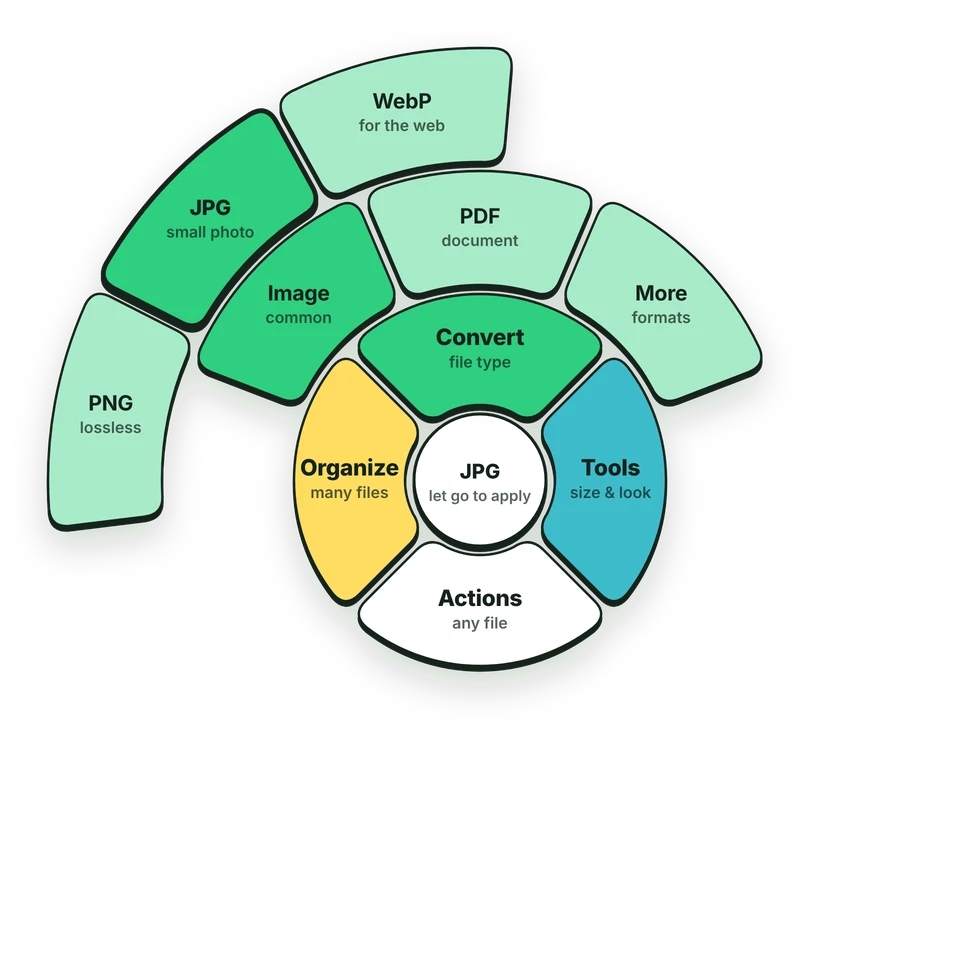
Chameleon's wheel, open on Convert, Image, JPG

Three moves. No website, no upload.

Select

Pick files in File Explorer, like you always do. One photo or a hundred.

Hold Alt+Q

A wheel opens at your mouse with only the options that fit those files. Slide outwards to choose.

Let go

The new file lands next to the original, which stays exactly as it was.

IMG_4021.HEIC→IMG_4021.jpg

A colour for
every file.

The wheel only offers what makes sense for what you picked. Photos get photo options, PDFs get PDF options.

JPGPNGWEBPHEICGIF.JPG

Photos

Switch type, open iPhone photos, shrink, compress, rotate, strip location.

PDF.PDF

PDFs

Merge, split, turn pages into pictures, rotate, or make one small enough to email.

MP4MOVWEBM.MP4

Videos

To MP4, WebM or GIF. Shrink to 1080p or 720p, trim the ends, mute, rotate.

MP3WAVM4AFLAC.MP3

Sound

Switch type, pull the sound out of a video, even out the volume.

ZIPFOLDERS.ZIP

Tidy up

Rename by date taken, sort into folders, catch duplicates, zip and unzip.

Your phone and your PC, finally talking.

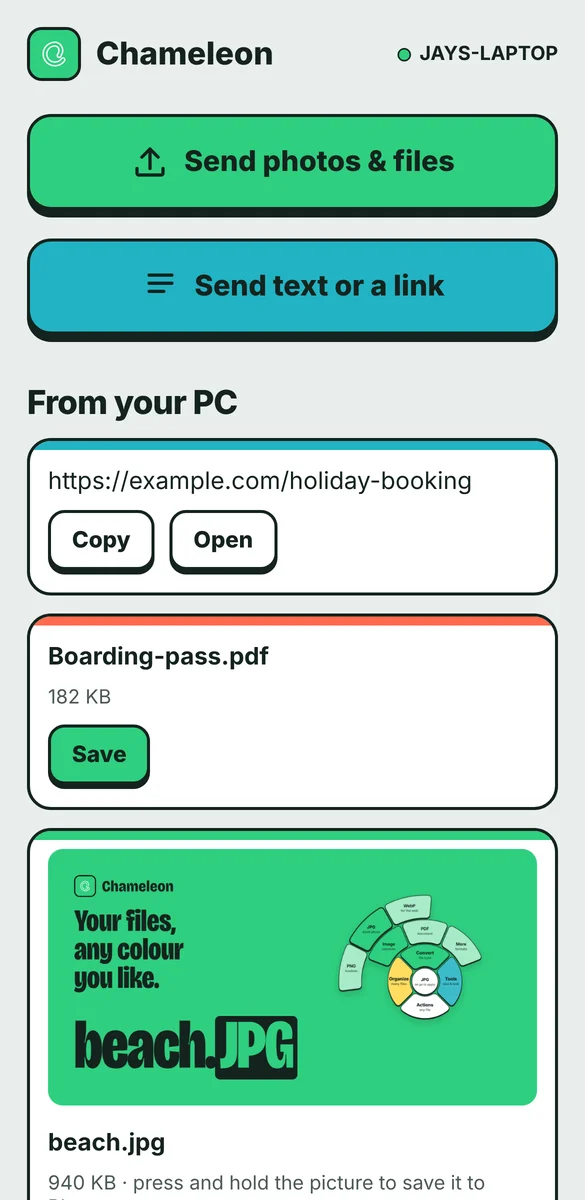
Like AirDrop, for any phone. Scan a QR code once and add Chameleon to your home screen. No app to install.

  • Photos, videos and files from your phone to your PC
  • Files, text and links from your PC to your phone
  • PC to PC, too
  • Over your own Wi-Fi: nothing goes through the internet
  • Nothing arrives until you say yes
Chameleon's page on an iPhone: buttons to send photos, files and text, and things sent from the PC

Every chat, one window.

WhatsApp, Messenger, Instagram, Discord, Slack, Gmail and Outlook side by side in Chameleon, each signed in once.

  • Unread counts at a glance, and a nudge when something new arrives
  • Workspaces to keep work and personal apart
  • A to-do list right next to your messages
  • Send to chat: big photos made small enough, ready to paste

Make your own.

Pick what it does, press the keys you want, done. No code, no setup.

Alt+JTurn the selected photos into JPGsChange files
Alt+COpen all my chatsOpen something
Alt+DOpen my Downloads folderOpen something
Ctrl+Alt+AType my home addressType a note
Alt+PMake this PDF small enough to emailChange files

Nothing leaves your PC.

No uploading.
No converter websites, no ads, no strangers' servers. It all happens on your computer.
Originals stay put.
Chameleon makes a new file. It never changes or deletes the one you started with.
No account.
Install it and it works. Everything except Chats works without internet.

Questions

Does it upload my files anywhere?

No. Changing files happens on your PC, and sending to your phone goes over your own Wi-Fi. The only thing Chameleon downloads is a free video engine (ffmpeg, about 80 MB), once, the first time you edit a video or song.

Windows says "Windows protected your PC". Is that OK?

Yes. Windows shows that for new apps it hasn't seen many times yet. Click More info, then Run anyway.

Will it change or delete my originals?

No. New files appear next to the originals with the same name, so photo.png becomes photo.jpg. Tidy-up tools move duplicates into a "Duplicates" folder rather than deleting them.

Do I have to open the app every time?

No. Chameleon waits by the clock. Select files and hold Alt+Q, or press Alt+V for your gallery, from anywhere.

Can I change the keys, or make my own?

Yes. On the Shortcuts page, click + New shortcut, pick what it does (change files, open something, or type a note) and press the keys you want. You can change Alt+Q and Alt+V in Settings.

My laptop won't open iPhone photos. Will this help?

Yes. Select the HEIC photos, hold Alt+Q and choose Convert, Image, JPG. If Windows can't read HEIC yet, Chameleon tells you how to add the free "HEIF Image Extensions" from the Microsoft Store.

Do I need an app on my phone?

No. Scan the QR code on Chameleon's Share page with your phone's camera, then add the page to your home screen. It works on iPhone and Android.

Is there a Mac version?

Not yet. Chameleon is for Windows 10 and 11.
One key for whatever you need.

Download for Windows

Windows 10 & 11